


Hello,
I have configured several export tasks on my tenant but my goal is to make only one specific export task visible to a particular administration role.
However, it does not seem that feature access policies apply to export tasks or at least I am not seeing any effect when configuring them.
Do you know how export task visibility and access control are handled in Memority ?
Thank you
Hi there,
When you configure an export task, it is available in two different sections:
This section contains exports that are generated on demand by users. These exports are private and visible only to the user who requested them.
Public exports are intended for users who are authorized to access them. They are generated automatically based on the execution plan defined in the export task configuration.
The main benefit of public exports is to avoid generating the same export multiple times for different users. Instead, the export is generated once and made available to multiple users which is more efficient from both a performance and operational perspective.

To manage the visibility of export tasks according to a specific administration role, you need to configure rights bindings on that role in the user portal.
Go to the role configuration, then open the Rights Binding section, and add the appropriate rights:
Public Export Tasks Access
Use this right to make an export task visible in the Public Exports section.
Set the mapping type to value
In the mapping field, specify the IDs of the export tasks you want to make visible for this role
The mapping field is multivalued allowing multiple export task IDs
Private Export Tasks Access
Use this right to make an export task visible in the My Exports section.
Set the mapping type to value
In the mapping field, specify the IDs of the export tasks you want to make visible for this role
The mapping field is also multivalued
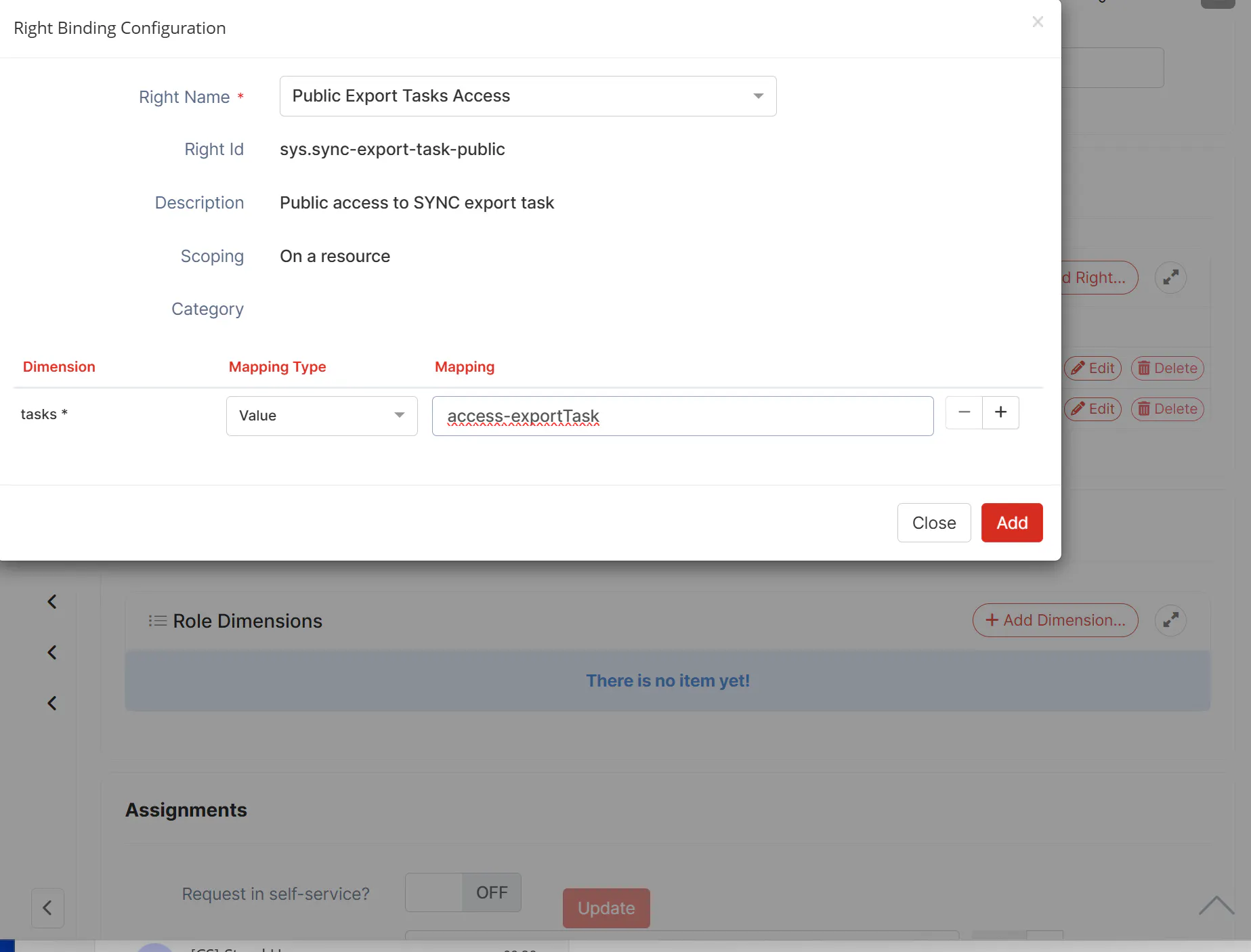
Once the required rights bindings have been added, do not forget to click on the Update button to apply the changes to the role.
The same approach also applies to import task visibility.
In this case, you need to use the Private Import Tasks Access right.
Best regards,
Anouar

