


Hello !
If you've come across this post, it's probably because you've already encountered a problem trying to enroll your device using Passkeys rather than Windows Hello :
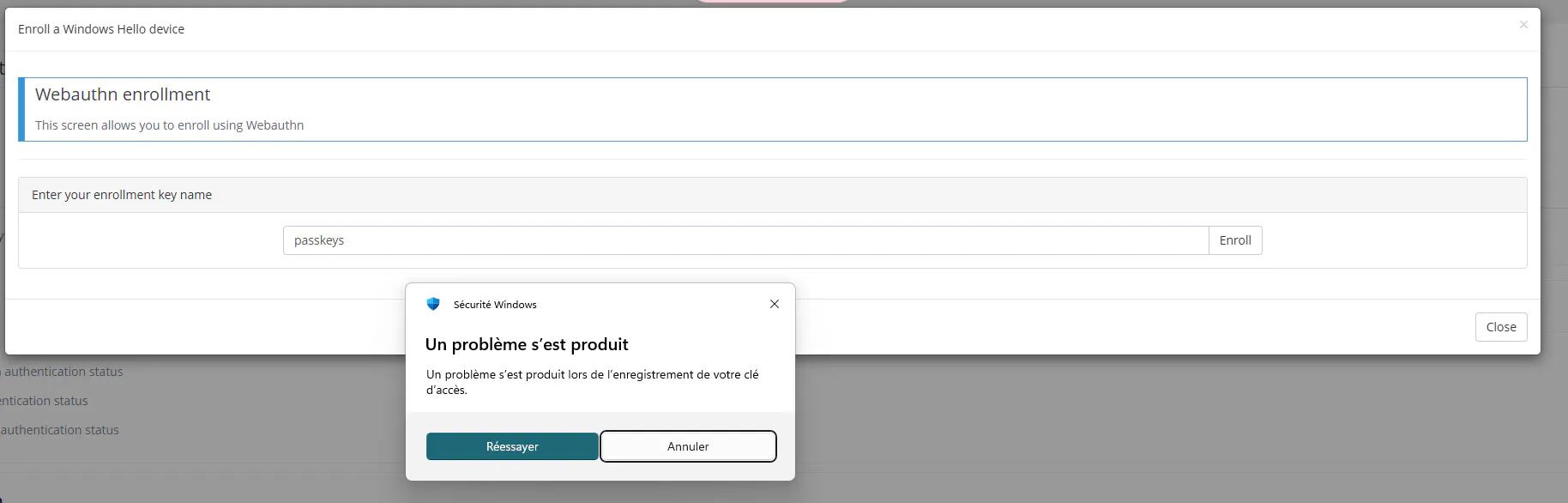
What makes this even stranger is that Windows Hello (WH) enrollment works fine on the tenant... Actually, this can be explained by a very specific aspect of Memority and can be fixed pretty easily. Let me explain.
In Memority, by default, when your feature isn't scoped, only attributes common to all identity types will be loaded.
In order to work, Passkeys enrollment (unlike WH) requires a specific field to be valued : displayName. This field is set by an i18n key called “tenant.feature.webauthn.userDisplayName.label” and, by default, it is computed from the firstName and lastName attributes. Do you see where this is going ?
If one of your identity types does not have a first name and last name (which is the case on all tenants), your unscoped feature will not load these attributes and the i18n key will not be valued, causing your enrollment to fail !
Now let's see how to fix this.
The first solution is to scope the feature to identity types that have the firstName and lastName attributes. However, this may not be possible every time.
In this case, you can force the feature to load the attributes in the operation tag at the end of your configuration file. Just add this :
<attributes>
      <attribute>firstName</attribute>
      <attribute>lastName</attribute>
</attributes>
And now your Passkeys registration should work !
Enjoy 😄


