


Hi,
On some tenants, you might experience an issue when the "No Authentication Module" pops up. This happens when the authentication level expected by the application is superior to any authentication means enrolled by the user.
Now... What if you had checked the "Remember me" button? When trying to login, Memority will automatically try an authentication attempt, thus immediately displaying the "No Authentication Module" error message, without any way to get back to the login screen.
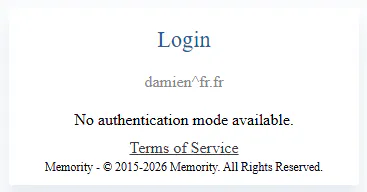
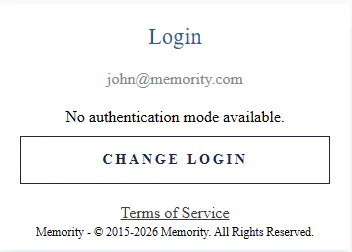
The solution resides in your auth-config file. Make sure the following setting is activated:
"selectorChangeLogin" : true,You will now obtain the following result:
Hope this helps!

