


Hi,
I wand the Import Reports to be available for a lot of users with delegated admin rights. My issue is that they currently see ALL imports made on the tenant:
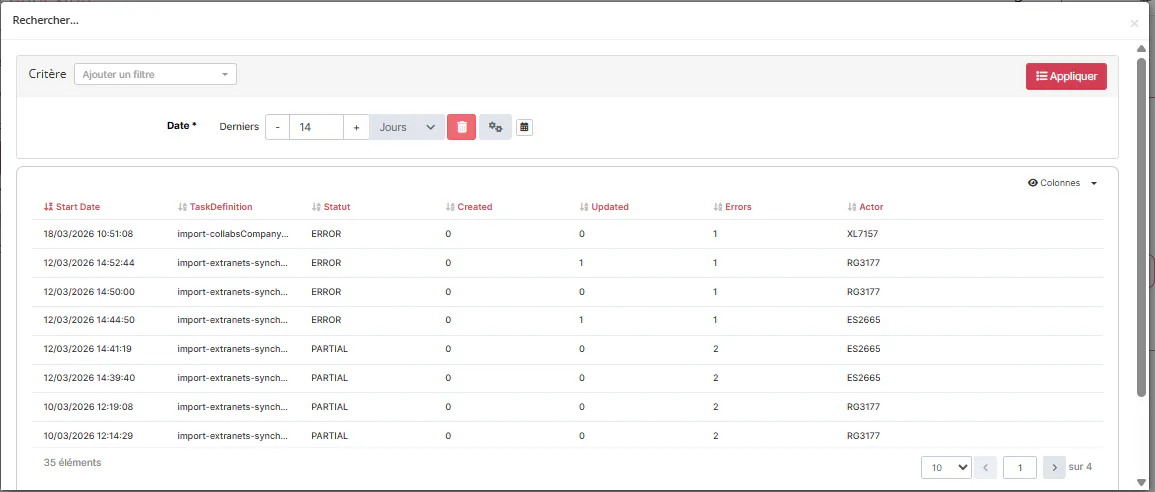
I have added the following criterion:
<criterion>
  <allowFixedValueOverride>false</allowFixedValueOverride>
  <controlType>
    <multivalued>false</multivalued>
    <valueType>TEXT</valueType>
  </controlType>
  <displayFixedValue>false</displayFixedValue>
  <dynamicFixedValue>
    <script><![CDATA[return SUBJECT.id]]></script>
  </dynamicFixedValue>
  <fixedMatchOperator>EQUALS</fixedMatchOperator>
  <forGrouping>false</forGrouping>
  <mandatory>false</mandatory>
  <name>actor</name>
</criterion>
However, I am getting the following error:
"errors" : [ {
      "property" : "AND[1].prop",
      "value" : "actor",
      "messageText" : "Property 'actor' is not searchable"
    } ]
How can I make this criterion searchable? Or is there an easier way to do so?
Hi,
I found the solution. The reporting collection builtin attributes can be overridden using the following code:
<builtinCollectionAdditionalCriteria>
    <criterion>
        <collectDistinctValues>false</collectDistinctValues>
        <name>actor</name>
        <searchable>true</searchable>
        <valueType>STRING</valueType>
    </criterion>
</builtinCollectionAdditionalCriteria>
My assumption is that "collectDistinctValues" allows not to add but simply override the information. It is currently not documented in Public Doc though.

